CH 02 Frame for Mac
Three cameras in.An editedepisode out.
Point Frame at the folder of camera and recorder files. It lines them up, builds the multicam edit in DaVinci Resolve Studio for you to watch, applies your client's notes from Send and cuts captioned vertical clips. One card at a time, one button on each.
- Add footage
- Sync
- Build in Resolve
- Review cut
- Send to client
- Apply notes
- Deliver
Version 0.3.0 30 Oct 2026 292 MB
Download for MacA disk image for Apple silicon Macs. Frame keeps itself up to date after that.
- Mac
- Apple silicon
- macOS
- 14 or later
- DaVinci Resolve
- Build and Apply need DaVinci Resolve Studio 21 or later, with External scripting set to Local.In Resolve: Preferences > System > General > External scripting using. The free edition of Resolve does not run external scripts.
- stages, each one card with one button
- 7
- to apply the client notes Frame can do
- 1 step
- clips framed on the faces, captions checked by you
- 9:16
- AI credits a month for scoring clips, on Pro or the add-on
- 1,000
The simple view Frame 0.3.0
One card. One button.
Frame says what happens next and does it. You step in where a person should: whose sound is on which camera, whether the cut is right, the notes only you can do, and the captions.
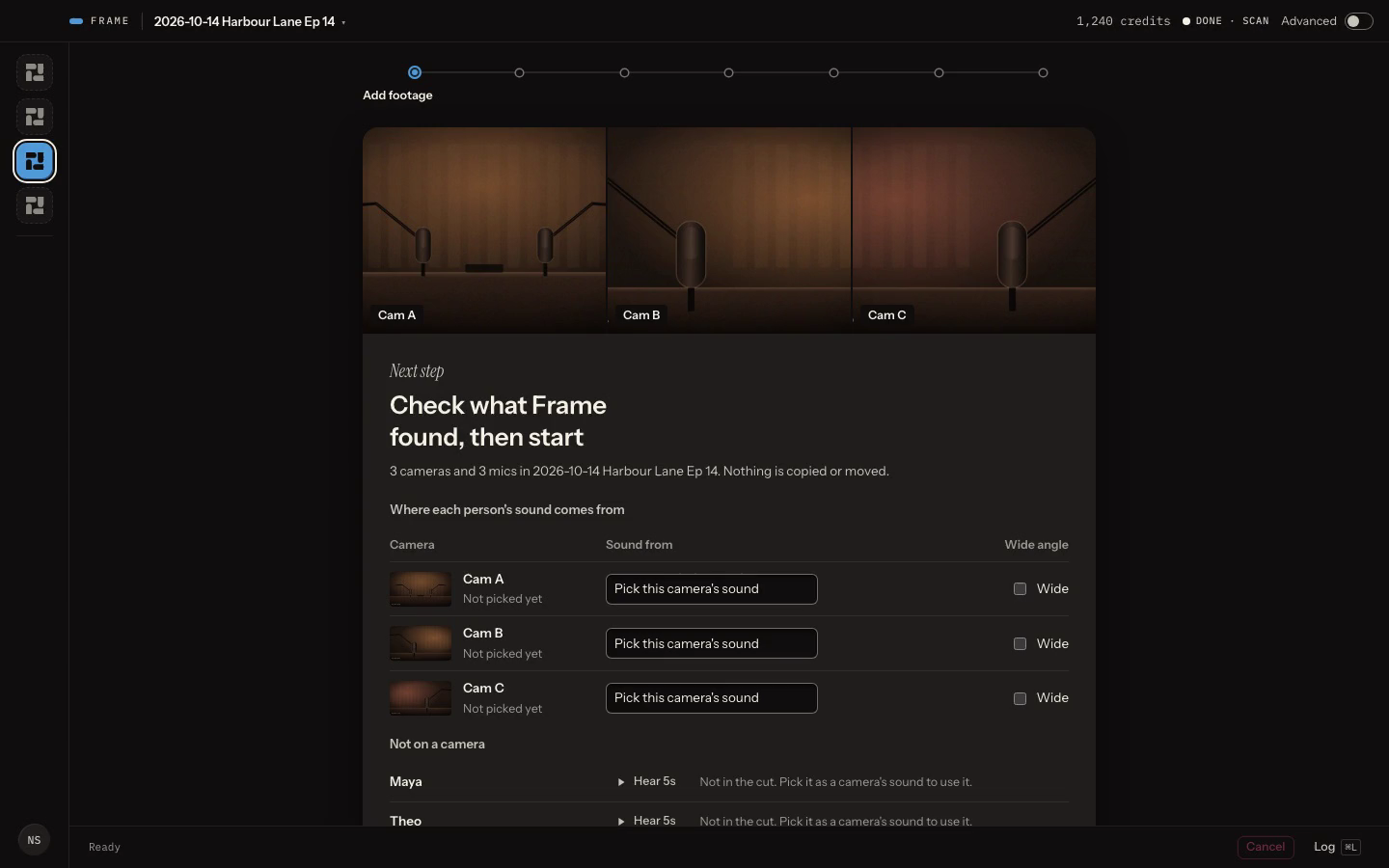
Sample episodeEach camera with a still from it. You pick where its sound comes from, then tick the wide.Frame
Activate three steps
From the hub to your first cut.
Turn on Frame
Frame is included on Pro. On Starter or Studio, add it for £9 a month in your Console hub.
Install Frame
Open the disk image and drag Frame into Applications.
Sign in
Open Frame and sign in with your Console account.
Credits
100 credits £1
Frame spends credits when it scores an episode's clips.
- credits cost £1
- 100
- credits score one episode's clips
- 300
- credits a month come with Frame, on Pro or the add-on
- 1,000
1,000 credits score three episodes, with 100 to spare