The front desk, the edit day and the chasing, taken off your plate. Cue takes bookings and payments around the clock, and with smart locks sends the door code. Frame does the multicam cut, the client's notes and the clips. Send gets the episode approved and paid for before a file leaves.
is about what a front desk open seven days costs, at £120 a day. Cue is £39, or £89 with smart locks.
£3,640a month
the multicam cut, the client's notes and the clips, done by Frame. The grade and the mix stay yours.
A day's edit
clients approve and pay on the page, and only then do the files unlock.
No chasing
Local
For recording and production studios
A small studio runs ona dozen chores nobody is paid to do.Console does them.
+ Replaces: booking links / mailing lists / file transfer / a spreadsheet / half a receptionist
CH 01 /Cue / studio operations
The front desk you don't have to pay for.
A front desk open seven days costs about £120 a day: £840 a week, £3,640 a month. Cue does that desk's work from £39 a month, or £89 with smart locks that open the door. It takes the booking and the payment, sends the door code with smart locks, reminds the customer and asks for feedback afterwards. Studio 808 runs without a front desk.
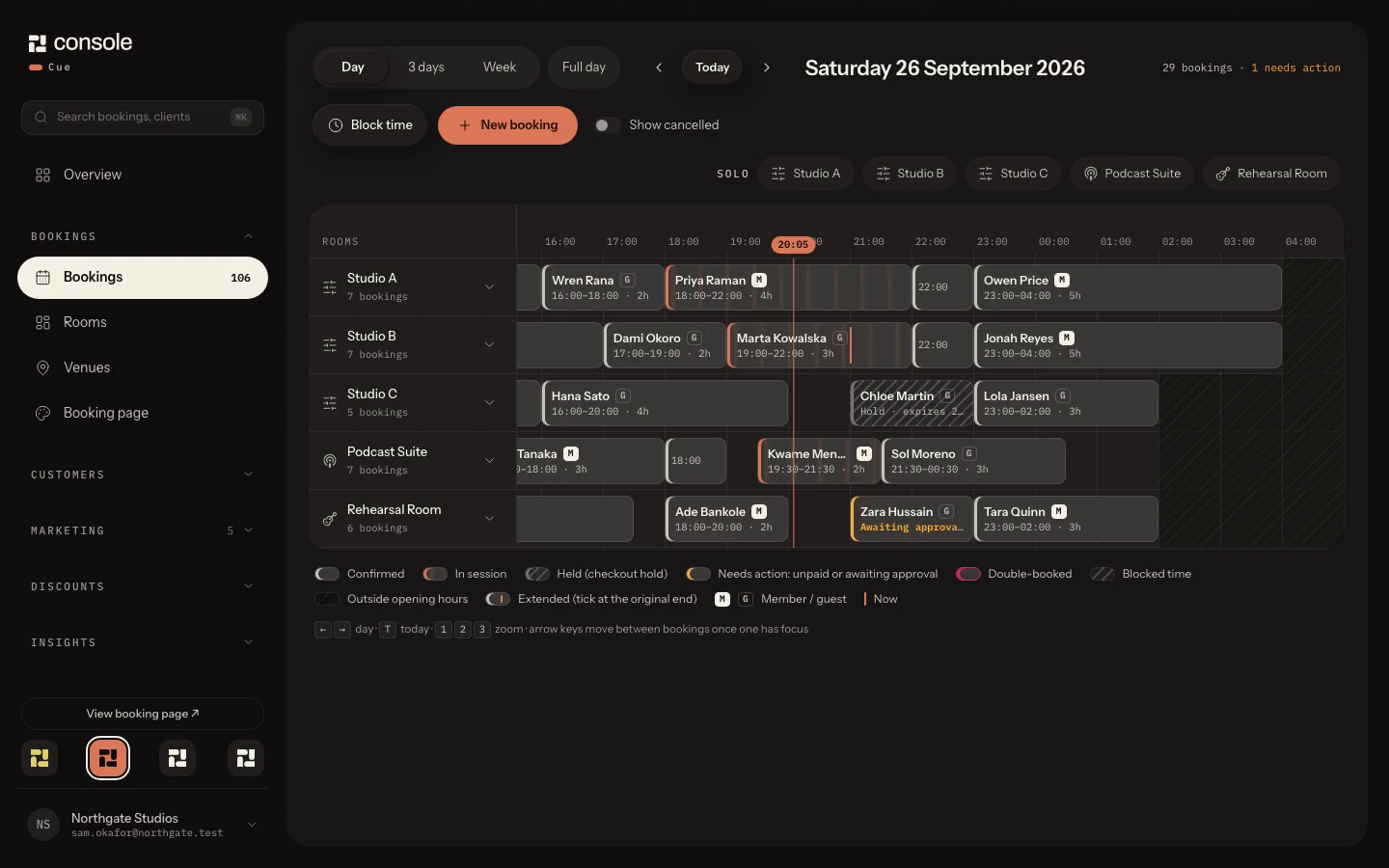
Sample workspaceSaturday evening across five rooms, three sessions live, then three days and the week.Cue
01Bookings paid at checkout, with a short hold while the customer pays and no double bookings. Nothing to chase.
02With smart locks on Studio and Pro, every booking gets its own door code in the confirmation and the room opens for the slot, so nobody has to be on site.
03Reminders and follow-ups go out on their own. After a session, Cue asks for private feedback with a booking credit as thanks, whatever the rating, then asks for a Google review with nothing offered for it.
04Memberships that renew on their own. If a card fails, Cue pauses the member, sends a pay-now link and tells you. On Studio and Pro.
05Every SMS and email in one inbox beside the customer's bookings, with Instagram and Facebook messages on Pro. WhatsApp is coming soon.
06Email campaigns and a social composer that schedules your posts, on Pro.
Integrations / Sifely / SwitchBot / Google / Meta / Microsoft / Xero / Square / Stripe
CH 01 / Cue
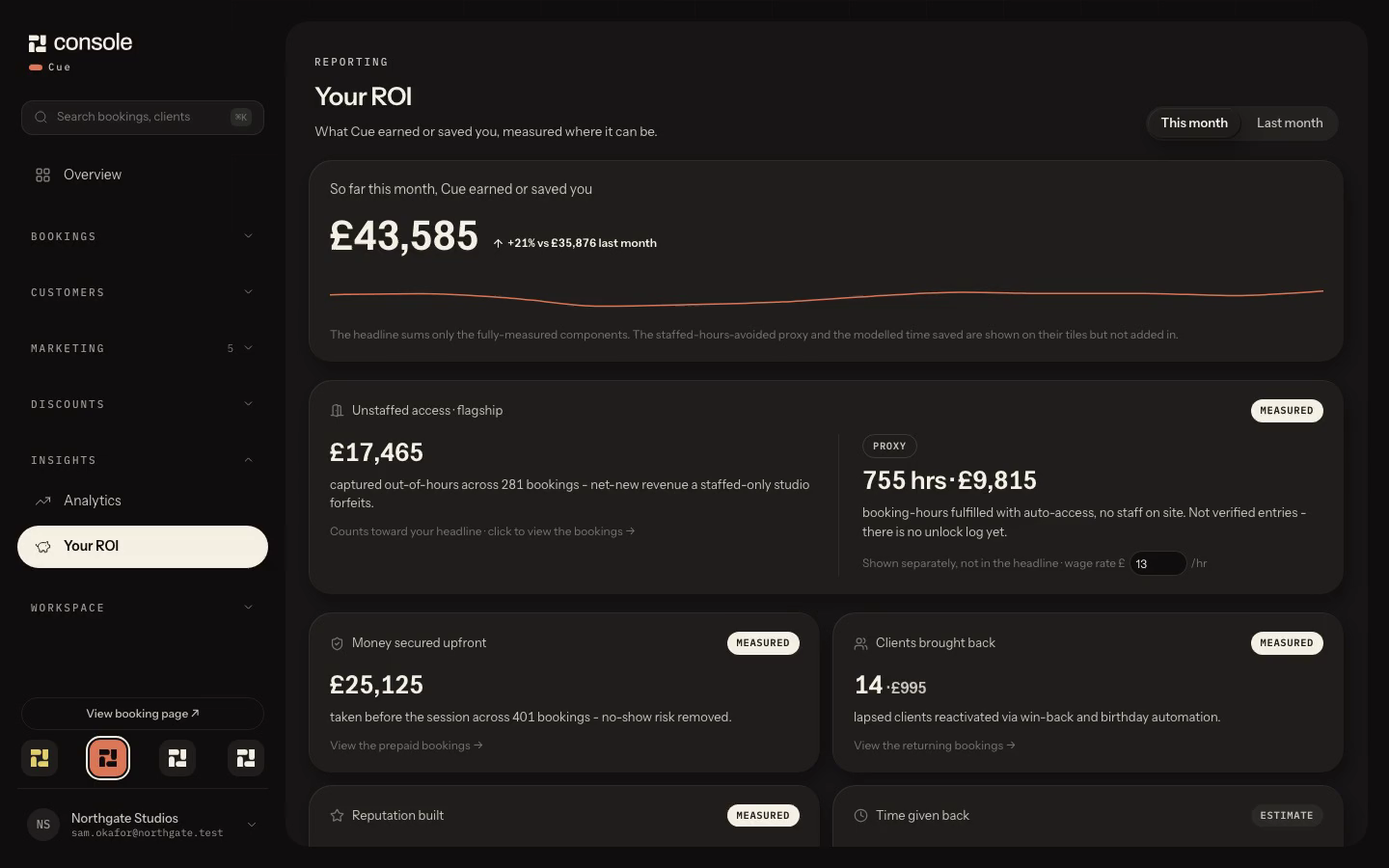
What Cue earned or saved a studio in a month.
CH 02 / Frame
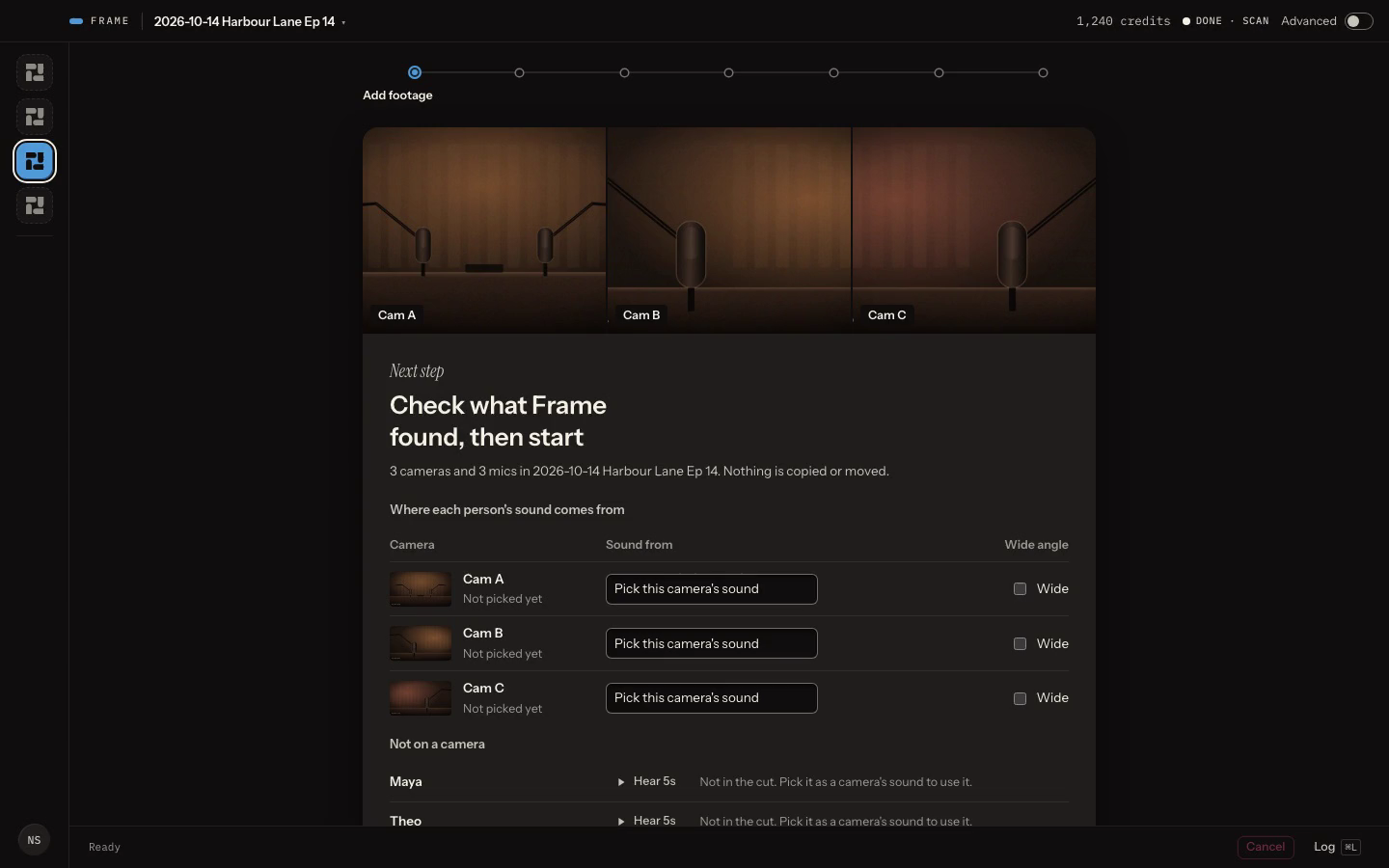
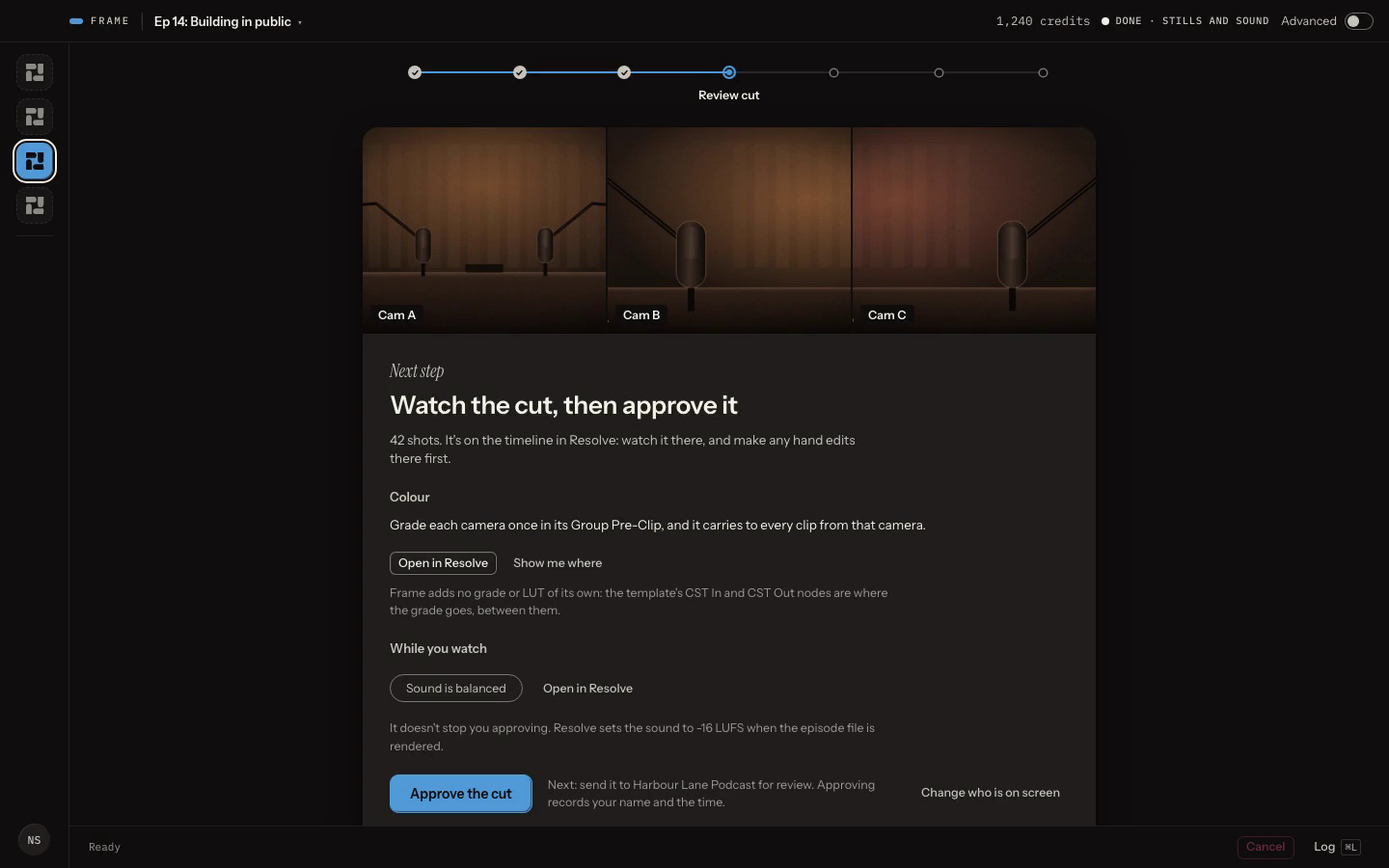
Every camera, and where its sound comes from.
CH 02 / Frame
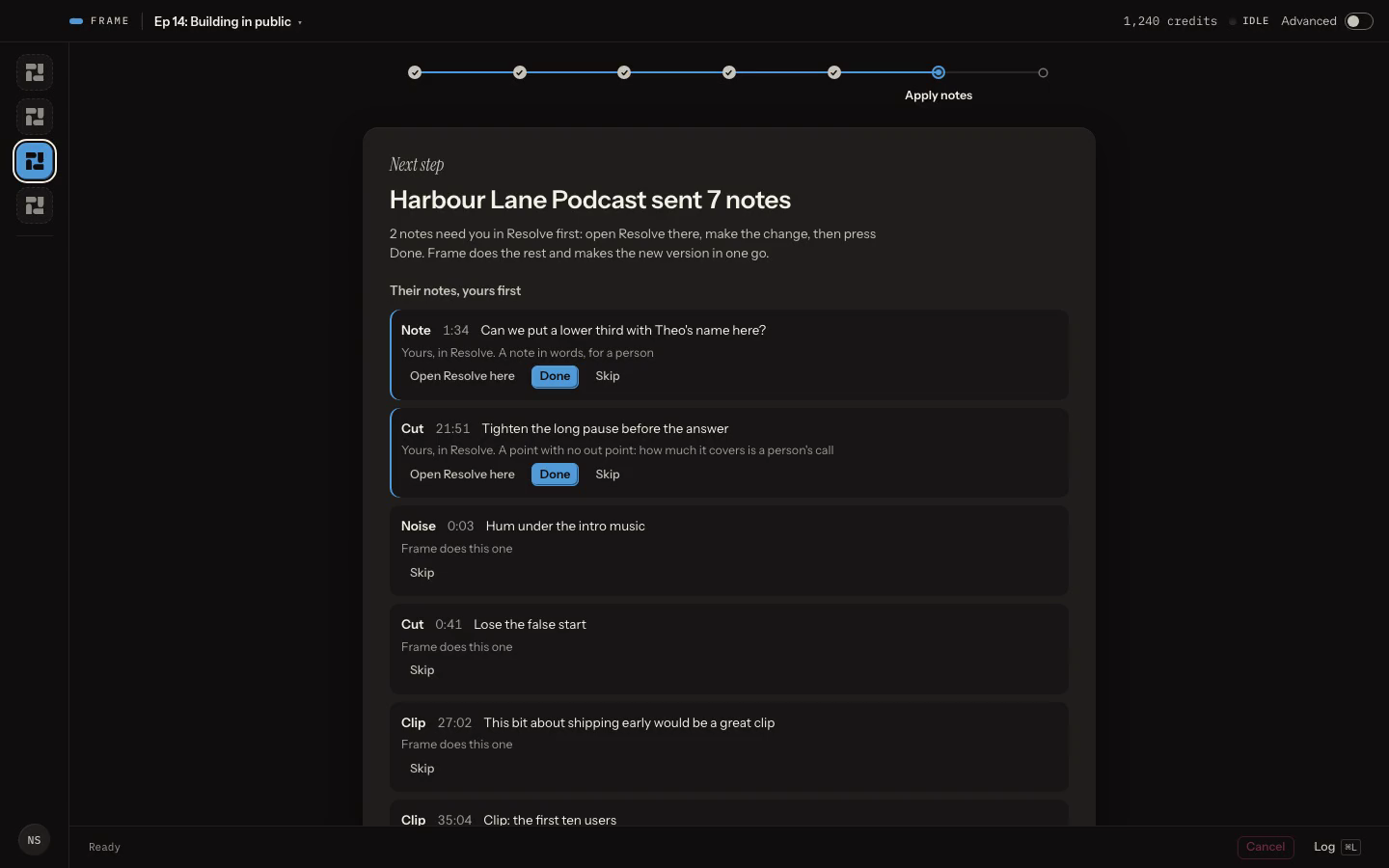
Client notes from Send, yours first.
CH 02 /Frame / recordings to clips
A day's edit, down to the parts that need you.
A multicam episode used to take the day: two hours cutting each camera to whoever is talking, the grade and the mix, the upload, an email of timestamps to decode, then the social clips. Frame takes the cut, the client's notes and the clips off that day. The grade, the mix and the intro stay yours.
Sample episodeEach camera with a still from it. You pick where its sound comes from, then tick the wide.Frame
01The multicam cut, done. Frame cuts each camera to whoever is talking, with reaction shots, and can take out the long pauses.
02Sending for review is one button. Frame renders the episode in Resolve, checks it for black picture and silence, and uploads it to Send.
03No more emails of timestamps. Clients leave notes on the video, Frame pulls them in and applies the ones it can. Anything that needs you is listed first.
04Clips found, framed and captioned. Frame suggests the moments worth clipping (300 AI credits an episode), cuts them 9:16 framed on the faces and burns in captions you have checked.
05It works inside DaVinci Resolve Studio 21 or later on an Apple silicon Mac, so the edit is a Resolve project you can open and finish.
No more sending a download link and hoping the invoice gets paid. Your client watches the episode in the browser, leaves notes on the moment, then approves and pays on the same page. The files unlock when the payment clears, into your own Square account.
Northgate Studios / Harbour Lane PodcastPreview
Brief
Review
Approval
Payment
Your files
Version 2 / 42:16
Your turn
Watch version 2 and leave notes
Ep 14: Building in public
Watch version 2
Round 2 of 2 / reply by Tue 3 Nov
PreviewThe client's page: one next step, the episode first.Send
01Clients review in the browser and pin notes to the moment. No timestamps to explain.
02With Frame, on Pro or the Frame add-on, client notes go straight into your edit.
03They approve and pay the balance on the same page.
04The files unlock once the payment clears, into your own Square account.
How it works / one session, start to finish
Three channels. One master.
L
R
Step 1 / CH 01 /Cue
Book it.
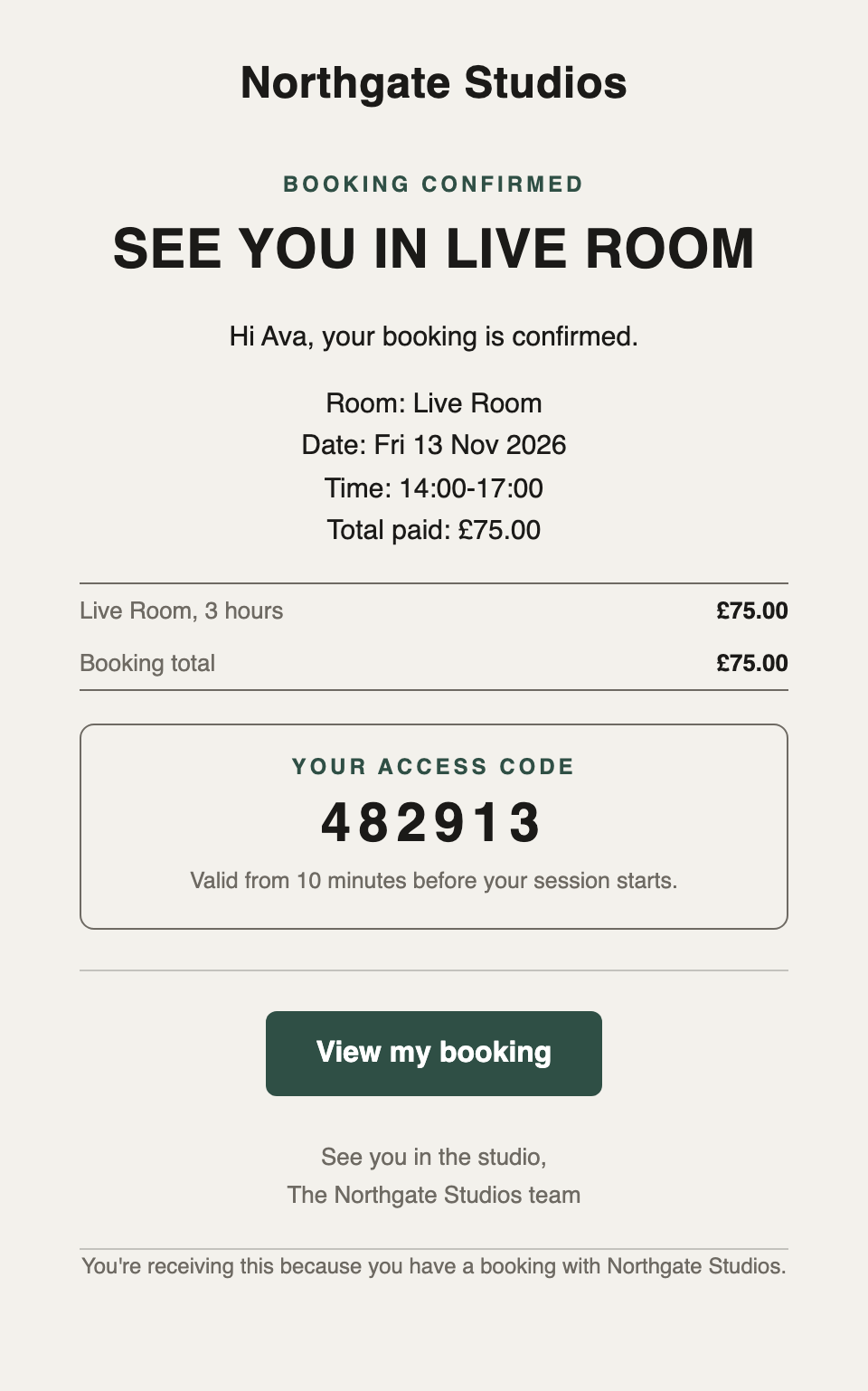
A client books Friday 14:00 in the Live Room and pays at checkout. With smart locks, their door code is in the confirmation and the room opens for their slot.
The customer's email, with smart locks
Your bookings in Cue
Step 2 / CH 02 /Frame
Cut it.
Point Frame at the cards. It lines up the cameras, cuts the conversation in Resolve and finds the clips. You grade, mix and sign it off.
The cut, built in Resolve
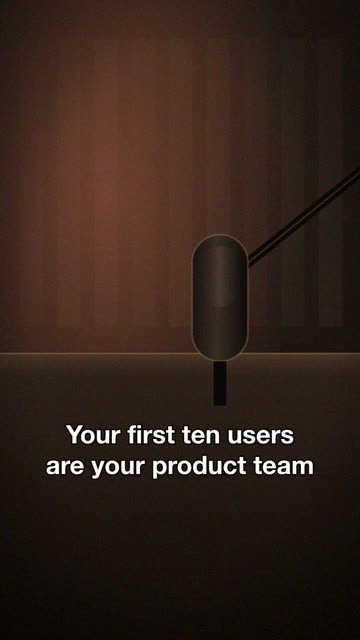
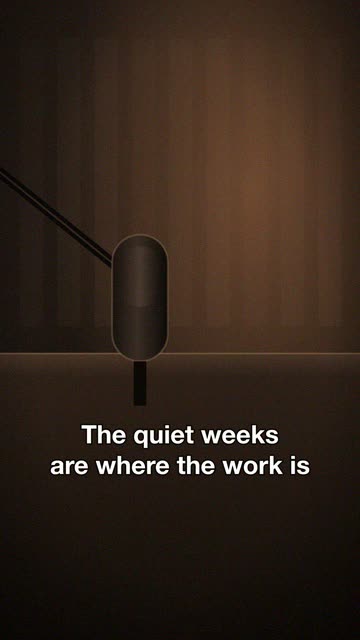
Three vertical clips, captioned
Step 3 / CH 03 /Send
Send it.
The client watches, leaves notes on the moment and Frame applies them. They approve and pay, and only then do the files unlock.
Northgate Studios / Harbour Lane PodcastPreview
Brief
Review
Approval
Payment
Your files
Approved, one step left
Pay £120 for Ep 14
Pay £120
Secure card payment by Square
Ep 14 Building in public.mp4
Clip 1, vertical.mp4
Clip 2, vertical.mp4
The files unlock once the payment clears
Preview: the client's page
Pricing / monthly, in GBP, plus VAT
Pick the channels you run.
Starter
£39/mo
Cue on its own. Add the other channels when you need them.
Every plan starts with a 14-day free trial of Pro, with everything included: Cue, Send and Frame. No card needed, and you are never charged automatically. By signing up you agree to our Terms and Privacy Policy.
Clip suggestions use 300 Frame AI credits an episode
More Frame credits from £10 per 1,000
Extra locations available on Studio and Pro
Extra Send storage / coming soon
WhatsApp / coming soon
Billed monthly / cancel any month
Case studies / two rooms, one desk
Case study 01 / podcast studio
Podyard
A podcast studio that runs the whole job from one desk.
podcast shoots booked each month
[stat]
episodes and clips delivered each month
[stat]
Figures to be confirmed by Podyard
One job, start to finish
CH 01 /Cue
The client books a podcast shoot online and pays at checkout.
CH 01 /Cue
An automated email collects the brief, logos and assets before the session.
CH 02 /Frame
The recording is edited into the episode, with captions and social clips.
CH 03 /Send
The client reviews and leaves notes, approves and pays, then the files release.
Master /Console
Every step is tracked in Cue, from booking to payment.
Case study 02 / DJ and recording studio
Studio 808
A DJ and recording studio in Chelmsford, trading for more than 13 years, that largely runs itself.
Cue takes the bookings, renews the memberships, sends the marketing emails and offers DJ and production customers their next session. On the day, the room unlocks for the booking.
bookings taken
720
door codes issued automatically
1,514
automated emails sent
5,700
late sessions run with nobody on site
84
contacts
530
members
14
Studio 808, first six months: 30 Mar to 3 Oct 2026
FAQ / nine answers
Before you sign up.
What problem does Cue solve?
The admin around every session: taking the booking and the payment, sending the door code with smart locks, reminding the customer, following up afterwards and answering messages across SMS and social. Customers book and pay on your page, the lock gets a code that works only for their slot, reminders and follow-ups go out on their own, and messages, bookings and contacts sit on one screen. Studio 808 took 720 bookings and ran 84 late sessions with nobody on site in Cue’s first six months.
Why is Cue better for a production studio than a general CRM?
A general CRM knows about deals and emails. It does not know that Studio 2 closes at 02:00, that the 02:00 to 04:00 tail is members only, that an extension needs a new door code and a new price, or that a podcast shoot needs the client’s brief and logos before anyone turns up. Cue is built around rooms, hours, rates, members and locks, so the booking page, the pricing, the access control and the follow-ups all read from the same facts and never disagree. You configure your rooms once and everything else follows.
What makes Cue different?
Bookings, payments through your own Square or Stripe, messages, automations and insights are one product with one login, with smart locks, memberships and Xero from Studio up and email campaigns on Pro. It is priced for a studio, and the system that takes the booking is the one that opens the door. Studio 808 runs on it every day before changes ship to anyone else.
How does the free trial work?
Every new account starts on a 14-day free trial of Pro, with everything included: Cue, Send and Frame, and Frame’s 1,000 AI credits. No card is needed and you are never charged automatically. Choose a plan before the trial ends; until you do, the workspace is read-only.
Can I cancel?
Yes. Plans are monthly with no annual contract, so cancelling stops the next month's charge.
Who owns my data?
You do. Your bookings, recordings and client files belong to your studio, not to Console.
How do payments work?
Bookings and memberships are paid through your own Square or Stripe account, so the money lands with you. Send invoices are paid through Square. Console bills your subscription separately, also through Square.
Do the apps work on their own?
Cue does: Starter is Cue alone. Send is included on Studio and Pro, and Frame on Pro. On the other plans each is an add-on: Send £19 a month, Frame £9.
Where is my data hosted?
Your studio’s database is in the EU (Ireland). A few providers, such as SMS delivery and AI-drafted replies, process some data in the US under UK transfer safeguards; the DPA lists every one.